
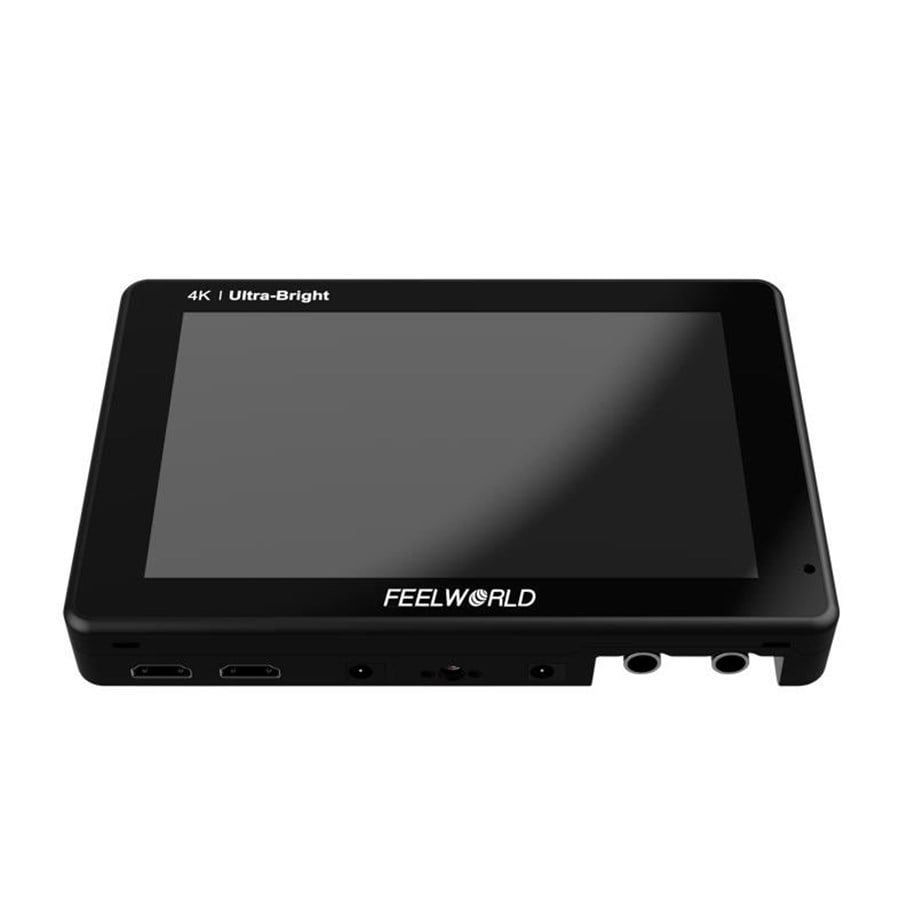
FEELWORLD LUT7S 17.8 cm (7") 1920 x 1080 pixels IPS 16:9 2200 cd/m² 160°
Monitor kamerowy FEELWORLD LUT7S łączy ekran dotykowy Full HD IPS, jasność 2200 cd/m², kalibrację koloru Rec.709, obsługę 3D LUT oraz narzędzia monitoringu HDMI/SDI do precyzyjnej pracy wideo.
Wyświetlacz IPS wykorzystuje podświetlenie LED, optycznie klejone szkło antyrefleksyjne, współczynnik kontrastu 1200:1 oraz kąt widzenia 160° dla czytelnego monitoringu w terenie podczas nagrywania.
- Sterowanie dotykowe z dostępem do funkcji monitoringu przez stuknięcia i przesunięcia
- Waveform, vectorscope, histogram jasności oraz histogram RGB
- Peaking focus assist, false color, zebra ekspozycji oraz check field
- Import własnych 3D LUT cube przez kartę SD
- Wiele punktów montażowych 1/4 cala do rigów kamerowych i sprzętu
Dzięki szczegółowym narzędziom obrazu i elastycznemu montażowi, LUT7S pomaga usprawnić monitoring na planie i kontrolę koloru.
Use Rec.709 color standard
FEELWORLD uses the professional Rec.709 HD color standard, and uses the color calibration technology, with the professional instrument calibration at the factory, it can achieve monitor calibration efficiently and get accurate color reproduction easily, do not distort the color, show the real image when you shooting video.
More Resolution, Less Reflection
The FEELWORLD LUT7S monitor displaying your content at 323 pixels per inch (PPI), enables clear and precise field monitoring. The panel is made of optically bonded glass with an anti-reflective coating. But what really sets it apart is its light-emitting diode (LED) backlighting, which displays a 1200:1 contrast ratio and sRGB / Rec.709 Color Gamut. The wide 160º viewing angle makes it easy for multiple members of the crew to watch it at the same time.
Large Monitor with Easy Touch Controls
The innovative touchscreen LCD user interface provides incredible control. You can uses simple tap and swipe gestures for the important monitoring functions. Scopes can be enabled via the touch screen as well as focus and exposure assist. Plus you can load 3D LUTs!
Connect to Wireless Transmitter and Director Monitor
Transmission to film crew director monitoring at the same time. Without the cable more flexible to transition between scenes effortlessly for outdoor shooting. Display live picture on multiple displays simultaneously.
Attach to Cameras, Equipment Carts or Hang It Anywhere
There are 3 standard sized mounting points. Using the bottom 1⁄4 inch hole, you can securely attach it to the top of your camera. The 1⁄4-inch holes on the left and right sides can be mounted on other equipment with magic arm, bracket, etc., for the entire crew to monitor the screen.
User LUT Cube Import
Provides S-log2/3, V-log, Log-C etc, to convert log mode to REC709 for all major cameras. The LUT loading function makes the color calibration work of the previous shooting easier and more intuitive, optimizes the workflow and improves work efficiency. User creative 3D LUT cube or calibration 3D LUT cube can be uploaded to monitor by SD card.
Video Analysis Assistant Pattern
Waveform / Vector scope / Histogram
Waveform
This essential feature assists with the calibration of professional video cameras. It shows the overall brightness of the image assisting the video professional in correcting exposure. The waveform feature also checks the evenness of the lighting when lighting a chromakey or background.
Vectorscope
Vector scope shows how saturated the image is and where the pixels in the image land on the color spectrum. It can also be displayed in various sizes & positions, that allows users to monitor color gamut range in real time.
Brightness Histogram
The Brightness Histogram is a quantitative tool to check the picture brightness.The feature shows the distribution of brightness in an image as graph of brightness along the horizontal axis (Left:Dark, Right:Bright)and a stack of the number of pixels at each level of brightness along the vertical axis.
RGB Histogram
RGB histogram is a graphical display of the distribution of tones, shows the Red, Green and Blue channels histograms. Suitable for HD-SDI and HDMI signal monitoring.
All Scopes Mode
This mode shrinks your video image to approximately the size of a 7" display and tiles your choice of waveform, vectorscope, histogram, and embedded audio on the border of your video.
Audio Meter Monitoring
The Audio Level Meters provide numerical indicators and headroom levels. It can generate accurate audio level displays to prevent errors during monitoring. Under SDI audio, it supports 4-ch embedded audio meters display. Under HDMI audio, only 2 channels audio displays are supported.
Peaking Focus Assist
The Peaking Filter is used to aid the camera operator in obtaining the sharpest possible picture. When activated, the internal processor will display a colored highlight on the screen where sharp edges appear. You can switch the peaking color between yellow, red, green, blue, white according to different tone of the subject. The focus level can be adjusted from 1 to 10 levels.
False Colors
The False Color filter is used to aid in the setting of camera exposure. As the camera Iris is adjusted, elements of the image will change color based on the luminance or brightness values. This enables proper exposure to be achieved without the use of costly, complicated external test equipment.
Exposure (zebras)
The Exposure is used to assist in exposure adjustment in the mode of Zebra Pattern. It is considered overexposed and displays the moving warning lines onto the over exposed areas. There is a 1%-100% zebra value that can be adjusted.
Check Field
Check Field is an assistant function to adjust camera color settings. Under the check field mode, you can use red, green, blue or gray pixels to generate the image, because hue and saturation can be adjusted more quickly and accurately in this environment.
Zoom In (100%~300%)
Image magnification is HD signal in any part, an amplification for high quality close-up. The touch panel can help you zoom in quickly, zoom out and move the image after zooming in.
Anamorphic Mode
Built-in selection of no squeeze, 1.25x, 1.33x, 1.5x, 2.0x or 2.0x mag allows you to use anamorphic lenses or adapters and see the image unsqueezed, even if your camera does not de-squeeze in camera.
Image Flip
Image flip is to flip the image horizontally, vertically, and horizontally/vertically. Simultaneously turning on the horizontally flip and the vertical flip can achieve horizontal/vertical simultaneous flipping.
Nine Grid
Nine grid is the most common and basic composition method. The area of the picture is divided into nine equal grids.
Pixel to Pixel
Enable the filmmaker to check the image from the 1:1 signal source without scaling.This feature is essential for capturing optimum detail.
Center Marker & Safe Marker
Safety Marker for View Finding and Composition (70%, 80%, 90%, 16:9, 16:10, 4:3, 5:4, 1.85:1, 2.35:1). You can switch the Mark color between Yellow, Red, Green, Blue, White and Black according to different tone of the subject.
Ratio Marker
There are a variety of ratio marker (16:9, 16:10, 4:3, 1.85:1, 2.35:1); the transparency of the ratio marker has 4 display effects optional (0%, 25%, 50%, 75%). You can switch the marker colors between yellow, red, green, blue, white and black according to different tone of the subject.
Wyświetlacz
Cechy
Konstrukcja
Porty i interfejsy
Moc
Warunki pracy
Waga i rozmiary
Zawartość opakowania
Powyższe informacje / specyfikacje są wskazówkami i mogą zostać zmienione przez producenta bez powiadomienia. Z zastrzeżeniem błędów w druku i obrazów orientacyjnych. Niektóre teksty są generowane automatycznie lub tłumaczone maszynowo i mogą posiadać błędy lub mogą być mylące.