
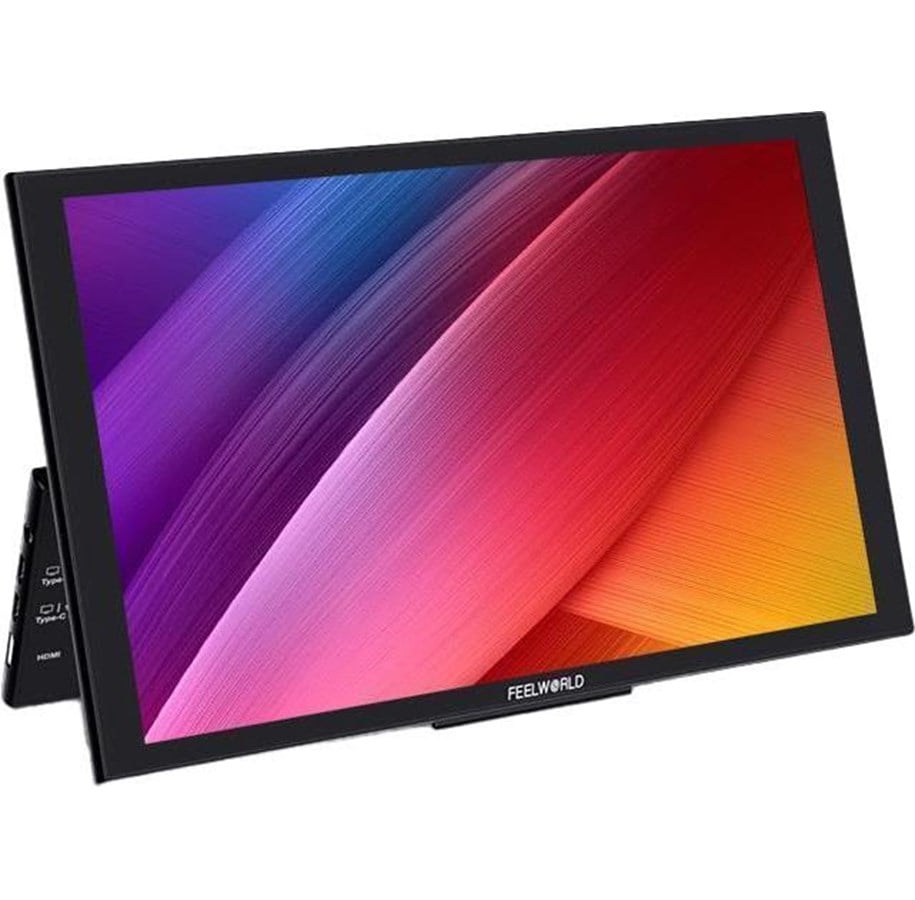
10" FEELWORLD Monitor DH101 10.1"
Przenośny monitor FEELWORLD DH101 łączy 10,1-calowy panel HD IPS 1280×800 z podwójnymi, w pełni funkcjonalnymi portami Type-C, Mini HDMI oraz wbudowanymi podwójnymi głośnikami stereo.
Smukły i lekki, zaprojektowany do użycia jako większy ekran lub drugi ekran, ze zintegrowaną podstawką regulowaną w zakresie 0°–90° oraz antypoślizgowymi gumowymi podkładkami dla stabilnego ustawienia.
- 10,1-calowy wyświetlacz HD IPS z 16,7 milionami kolorów
- Podwójne, w pełni funkcjonalne porty Type-C do zasilania i wyświetlania obrazu
- Złącze Mini HDMI
- Port Type-C3 do podłączenia klawiatury lub myszy
- Plug and play bez konieczności instalowania dodatkowego oprogramowania
DH101 zapewnia elastyczną przestrzeń ekranu do pracy biurowej, rozrywki i podróży w kompaktowej konstrukcji.


10.1-inch External Portable Monitor
Efficient office, comfortable entertainment.
FEELWORLD DH101 is a 10.1-inch portable monitor, equipped with dual Type-C full featured and Mini HDMI ports, compatible with variety of electric devices, including smartphone, laptop, PC, Switch, XBOX, PS4, PS5 and more. Slim and lightweight design, take convenience with you, no matter wherever you are or wherever you go, it can plug and play become your bigger screen or second screen.
Slim, Lightweight and Portable
The monitor is made of a slim panel and the weight of the whole monitor body only 650 g (1.43 lb), it's very suitable for travel, business, play outside and anywhere you'd like to use an external monitor, put it in your backpack and go.
Integrated Stand Design
The innovative bracket design can meet the angle adjustment of 0°~90°, and the bottom is equipped with non-slip rubber pads to ensure stability and avoid surface friction.
10.1-inch HD IPS Panel
The DH101 adopts a 10.1-inch 1280×800 high-definition IPS panel with 16.7 million colours and sRGB wide colour gamut, presenting you with high-definition and colourful image and video.
Wide Compatibility & Easy Setup
DH101 comes with dual full function Type-C and Mini HDMI ports, compatible with various electric devices OSD buttons easy to setup.
Note: Phone for IOS system, MAC notebooks (without HDMI interface) need to use adapter devices, such as Lightning to HDMI cable.
Built-in Dual Stereo Speakers
The monitor built-in dual stereo speakers, make you enjoy a professional audiovisual experience.
Touch Operation, Easily Entertainment and OfficeVia the Type-C full-function port, the DH101 supports touch controlling of smartphone or notebook interface, the touch response speed is smooth OSD buttons control menu settings.
Portrait Mode, More Possibilities for Your Productivity
By setting the portrait display on the laptop, the DH101 can realize the portrait mode, providing more possibilities for your productivity.
Type-C One Cord Connection, Plug and Play
Note: The Type-C of laptop needs to support power supply and display.
Under the Type-C cable is directly connected status, due to the different output power of each device, some devices require an external power supply.
Note: the smartphone can be compatible which equipped with USB-C port and supports DP output function, not limited to the listed models.
Wide Application
Q&A
- Why does the DH101 connected the power, but the screen showing no signal, power saving and off?
Answer: Please make sure input signal and the smartphone model is in supporting range. (the smartphone must with USB-C port and support DP output function) PS: If the smartphone's USB-C power supply cannot support DH101 running. Try connecting the DH101 to an independent power supply. - If you intend to use DH101 for watching movies or gaming with 16:9 aspect ratio, but why by default it stretches your video game to fill the screen?
Answer: The screen ratio of DH101 is 16:10, when you input another ratio signal, the screen will stretch. You can set the aspect ratio to 16:9 via menu setting (MENU--Advance--Aspect Ratio). - Connected the power, but why the menu can’t be set?
Answer: The menu set only can be operated after the signal input. - How to set the portrait mode?
Answer: The screen of DH101 can’t rotate automatically. But you can set the portrait mode via PC or laptop.
Take Windows 7 as an example:
Start–Control Panel–Appearance and Individuation–Display–Adjust Screen Resolution–Direction
Key Features
- 10.1-inch 1280×800 HD IPS
- Slim design and lightweight, easy to carry on-the-go
- Full function of Type-C1 and Type-C2 ports for power supply, display and touch
- Widely compatible with Smartphone, PC, Mac Book, Switch, etc.
- Type-C3 port can connect to keyboard or mouse to the monitor.
- Plug and play. No additional installation or software necessary.
- Built-in dual stereo speakers
In The Box
- 1× Mini HDMI Cable
- 1× USB-A to USB-C Cable
- 1× USB-C to USB-C Cable
- 1× Manual
Powyższe informacje / specyfikacje są wskazówkami i mogą zostać zmienione przez producenta bez powiadomienia. Z zastrzeżeniem błędów w druku i obrazów orientacyjnych. Niektóre teksty są generowane automatycznie lub tłumaczone maszynowo i mogą posiadać błędy lub mogą być mylące.